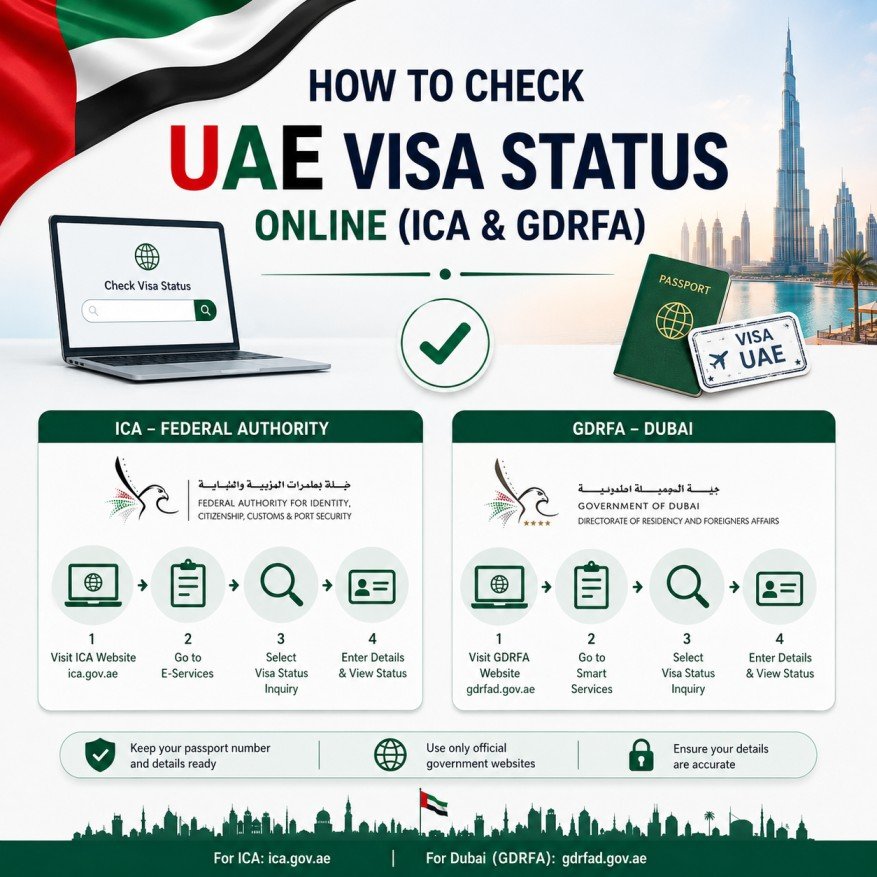
Checking your UAE visa status regularly is one of the most important steps for residents, tourists, visitors, employees, and family sponsors. A quick online check can help you avoid overstay fines, travel issues, visa cancellation problems, and unexpected immigration complications. Official UAE government platforms allow individuals to verify their visa details within minutes.
The UAE has made visa verification simple through digital government services. Instead of visiting immigration offices, users can access official online portals and instantly view visa validity, expiry dates, application status, and other important information.
There are two primary government systems used for visa status verification in the UAE. The first is the ICP (Federal Authority for Identity, Citizenship, Customs and Port Security), which handles visas issued in Abu Dhabi, Sharjah, Ajman, Ras Al Khaimah, Fujairah, and Umm Al Quwain. The second is GDRFA Dubai, which manages visas issued in Dubai.
Many people mistakenly use the wrong portal and cannot find their records. The first step is identifying where your visa was issued. Dubai-issued visas should be checked through GDRFA, while visas from other emirates should be checked through ICP.
A visa status check can reveal whether your visa is active, expired, cancelled, under processing, or pending approval. It also displays important information such as visa type, issue date, expiry date, and sponsor details.
Regular checks are especially important before international travel, job changes, company transfers, visa renewals, and family sponsorship applications. Many residents only discover visa issues when attempting to travel, which can create significant complications.
Tourists and visit visa holders should also monitor their visa validity carefully. This helps avoid overstay fines and ensures sufficient time to apply for extensions or arrange departure from the UAE.
Another advantage of online verification is fraud prevention. Applicants can confirm that visa approvals are officially recorded in government systems rather than relying solely on agents or intermediaries.
The UAE’s digital immigration systems operate 24 hours a day, allowing users to verify their status from anywhere in the world. The process is free and generally takes less than two minutes when the required information is available.
Whether you are a tourist, resident, investor, employee, freelancer, Green Visa holder, or Golden Visa holder, regularly checking your visa status can help you remain compliant with UAE immigration regulations and avoid unnecessary penalties.
Which Portal Should You Use?
ICP Portal
Use ICP if your visa was issued in:
- Abu Dhabi
- Sharjah
- Ajman
- Ras Al Khaimah
- Fujairah
- Umm Al Quwain
GDRFA Portal
Use GDRFA if your visa was issued in:
- Dubai
How To Check Visa Status Using ICP
Step 1
Visit the official ICP Smart Services portal.
Step 2
Select “File Validity” or Visa Status service.
Step 3
Choose passport number, Emirates ID, UID, or file number search.
Step 4
Enter the required details.
Step 5
Complete verification and submit.
Step 6
View visa details instantly.
The system generally displays:
- Visa Status
- Visa Type
- Issue Date
- Expiry Date
- UID Number
- Sponsor Information
How To Check Dubai Visa Status Using GDRFA
Step 1
Visit the official GDRFA Dubai website.
Step 2
Open Inquiry Services.
Step 3
Select Visa or File Status Inquiry.
Step 4
Enter passport or file details.
Step 5
Submit the request.
Step 6
Review visa information.
Available information may include:
- Current Visa Status
- Expiry Date
- Application Status
- Visa Category
- Sponsorship Details
Information Required
You may need:
- Passport Number
- Passport Expiry Date
- Nationality
- Emirates ID Number
- UID Number
- Application Number
- File Number
Common Visa Status Results
Valid
Your visa is active and legally usable.
Expired
The visa validity period has ended.
Cancelled
The visa has been officially cancelled.
Pending
Application is under review.
Approved
The visa has been approved and issued.
Closed
The visa file has been completed or terminated.
Common Problems And Solutions
No Record Found
Possible reasons:
- Incorrect passport details
- Wrong immigration portal
- Recent visa issuance not yet updated
Incorrect Information
Double-check:
- Passport number
- Nationality
- Date of birth
- File number
System Delay
Recently issued visas may take 24–48 hours to appear online.
Why Regular Visa Checks Matter
- Avoid overstay fines
- Prevent travel disruptions
- Track visa renewals
- Verify sponsorship status
- Confirm application approval
- Detect cancellation issues early
Yes. Official ICP and GDRFA services are free.
Yes. Both ICP and GDRFA support passport-based searches.
Yes. The online portals are accessible worldwide.
It is advisable before travel, renewal, job changes, and after submitting visa applications.